01
Self-powered operation
Micro-energy harvesting converts each press into enough power to transmit the RF command.
GEYER SMART · GS-WKS3454 · WIRELESS KINETIC SWITCH
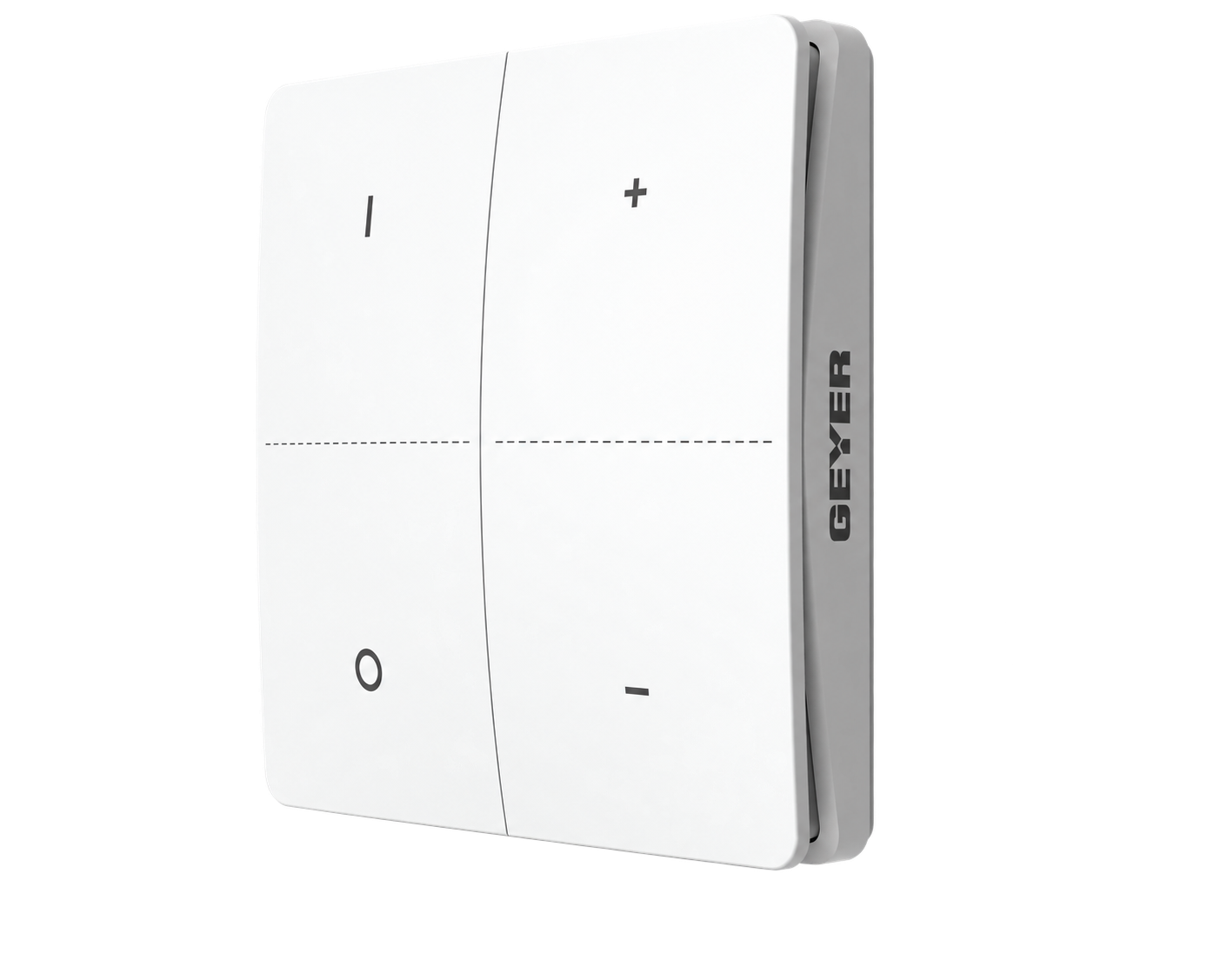
A self-powered four-button RF 433 MHz kinetic wall switch for the GEYER GS-LSC-5IN1 control module, with two independent ON/OFF groups and dimming by press-and-hold.
CONNECTED ECOSYSTEM THROUGH COMPATIBLE MODULES
 Amazon Alexa
 Google Home
 Tuya Smart
 Smart Life
FOUR BUTTONS · TWO GROUPS · NO BATTERY
GS-WKS3454 generates the energy required for transmission with each press, so it needs neither supply wiring nor battery replacement.
Micro-energy harvesting converts each press into enough power to transmit the RF command.
The left and right button pairs can operate two independent compatible lighting groups.
In directional pairing, the upper button switches ON and the lower button switches OFF.
With a compatible dimming module, hold the upper button to increase and the lower button to reduce brightness.
FREEDOM OF PLACEMENT

GEYER SMART ECOSYSTEM
Pair the switch with the GEYER module, model GS-LSC-5IN1. The kinetic switch provides immediate local control, while the module provides app, scene and voice functions.
App access and voice control are provided through a compatible paired Wi-Fi/RF module, not directly by the GS-WKS3454.



APPLICATIONS
Operate two independent compatible lighting groups from one four-button wall control.
Switch and dim compatible bedside or ambient lighting without a wired control cable.
Add a surface-mounted control point where chasing or new switch wiring is undesirable.
Control multiple paired modules together for coordinated lighting areas.
GS-WKS3454 does not switch an electrical load directly. It must be paired with the GS-LSC-5IN1 RF 433 MHz control module.
TECHNICAL SPECIFICATIONS
A self-powered push-button switch for compatible control modules, designed for flexible surface or wall-box installation.
INSTALLATION & PAIRING

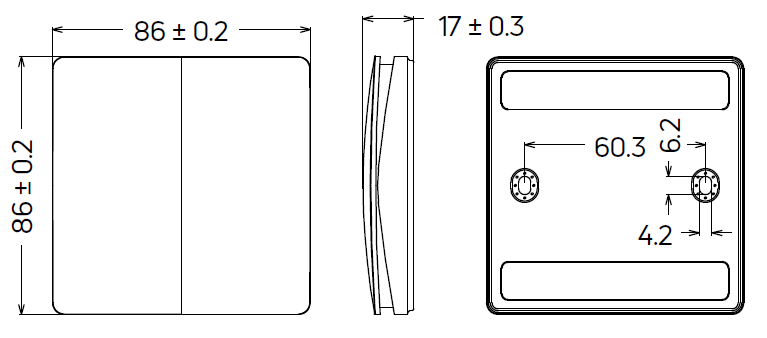
Use the included double-sided adhesive tape on a stable, smooth and clean surface. Secure the base with screws or mount it on a type 86 wall box using a suitable mounting plate.
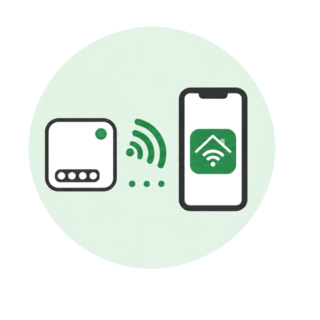
Press and hold the module pairing button for about 3 seconds. Release it when the indicator LED flashes, then press the selected switch button one, two, three or four times, depending on how many switch buttons you want to pair.
MODULE REQUIREDThe switch contains no load terminals and must not be connected to mains voltage. Follow the module pairing instructions.
INSTALLATION & CONTROL
The four buttons provide ON, OFF, Dim, CCT, RGB and other functions, depending on the operating mode of the paired module.


FREQUENTLY ASKED QUESTIONS
No. It is self-powered by the kinetic energy generated with each press.
No. It transmits RF commands and must be paired with the GS-LSC-5IN1 control module.
The buttons are arranged as two independent upper/lower groups. The final control behaviour depends on the paired module and pairing method.
Yes, when paired with a compatible dimming module. In directional mode, hold the upper button to increase brightness and the lower button to reduce it.
Up to 80 m in open-field conditions and 25 m indoors under laboratory conditions. Walls, materials and the installation environment can reduce the actual range.
With double-sided adhesive tape on a clean smooth surface, with screws, or on a type 86 switch box using a suitable mounting plate.
VIDEO
Video content coming soon
TESTIMONIALS
Battery-free wireless control for homes and professional spaces.
I added two lighting controls on a finished wall without opening channels. The four buttons let me separate the main and ambient lighting.
For a glass partition there was no practical route for a switch cable. The kinetic switch gave us a clean surface-mounted solution.
We paired one switch with the lighting modules in two restaurant areas. Staff have immediate local control without battery maintenance.
GS-WKS3454 DOCUMENTATION